All projects

m3m0

A native, keyboard-first RemNote client

status
In daily use
year
2026
area
Apps

RemNote’s desktop app is Electron and lags, so m3m0 is its interface rewritten in Rust and egui: a vim-style outliner with inline KaTeX, a graph of every note, a pane for each week’s files, Claude’s flashcard decks beside my own with the gaps highlighted, a Claude chat panel, and flashcard review. RemNote keeps running as the sync engine; m3m0 reads a snapshot of its database and writes only through a small plugin.
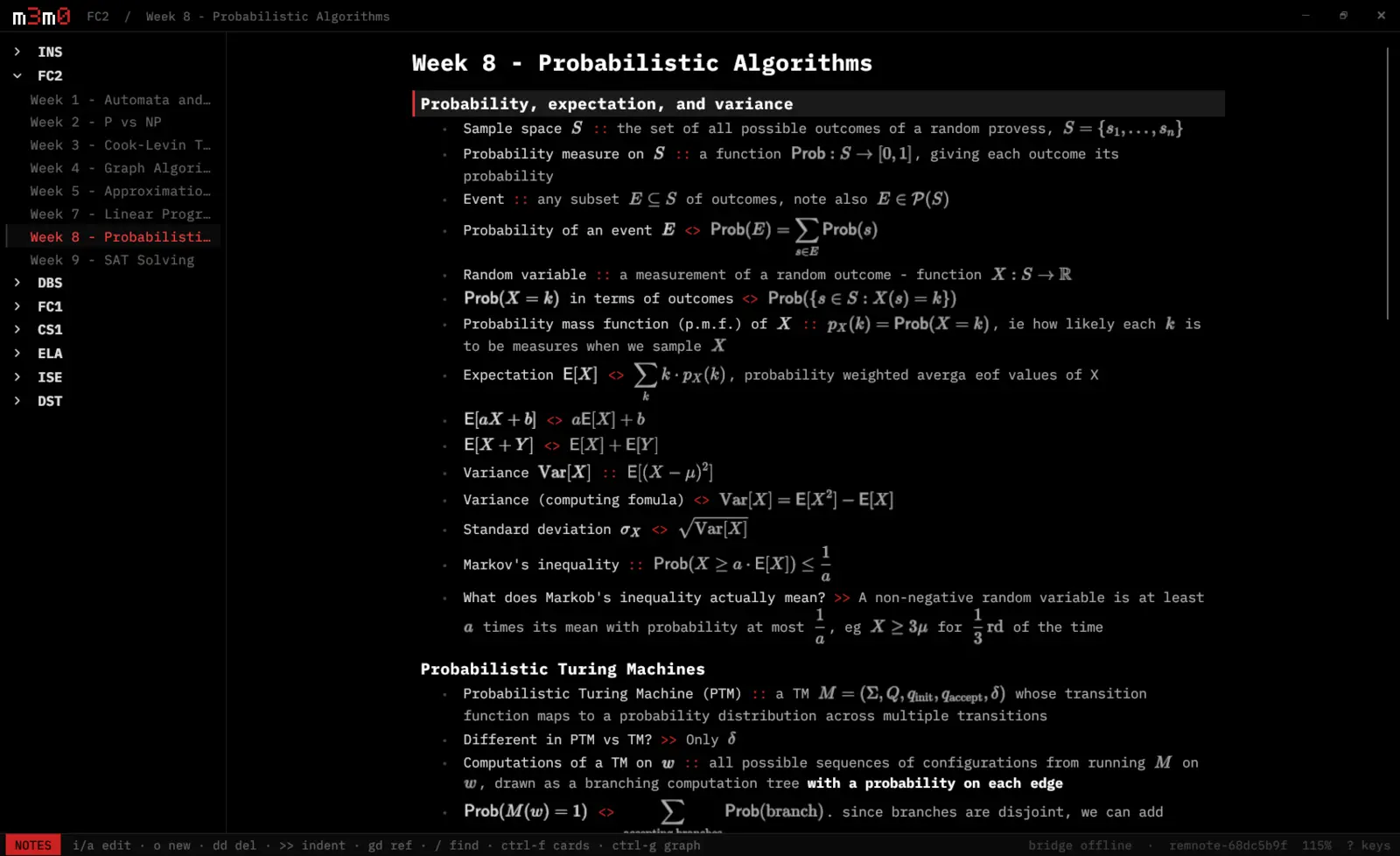
The m3m0 outliner on FC2 week 8, Probabilistic Algorithms: flashcard bullets with inline maths rendered like KaTeX, the module tree on the left.
The outliner: my RemNote notes, keyboard-driven, with the maths rendered inline.

Details

  • RemNote’s cloud sync only exists inside its own app, so m3m0 never touches the database file. Reads go through a snapshot taken with SQLite’s backup API, and every write is staged, shown as a diff, then sent through a RemNote plugin over a local websocket, so RemNote still owns sync.
  • The editor’s rich text converts to an editable text syntax and back without loss: a round-trip command rebuilds every rem in the database and reports how many differ, and the answer has to be none.
  • Claude’s flashcards for a module are matched to my own cards, so what I’ve missed shows up highlighted, and a link picker ranks Claude’s cards by closeness to tie one to a rem.
  • The chat panel runs claude -p with the whole module as context, but it may only edit Claude’s own revision files, never my notes.

Screenshots
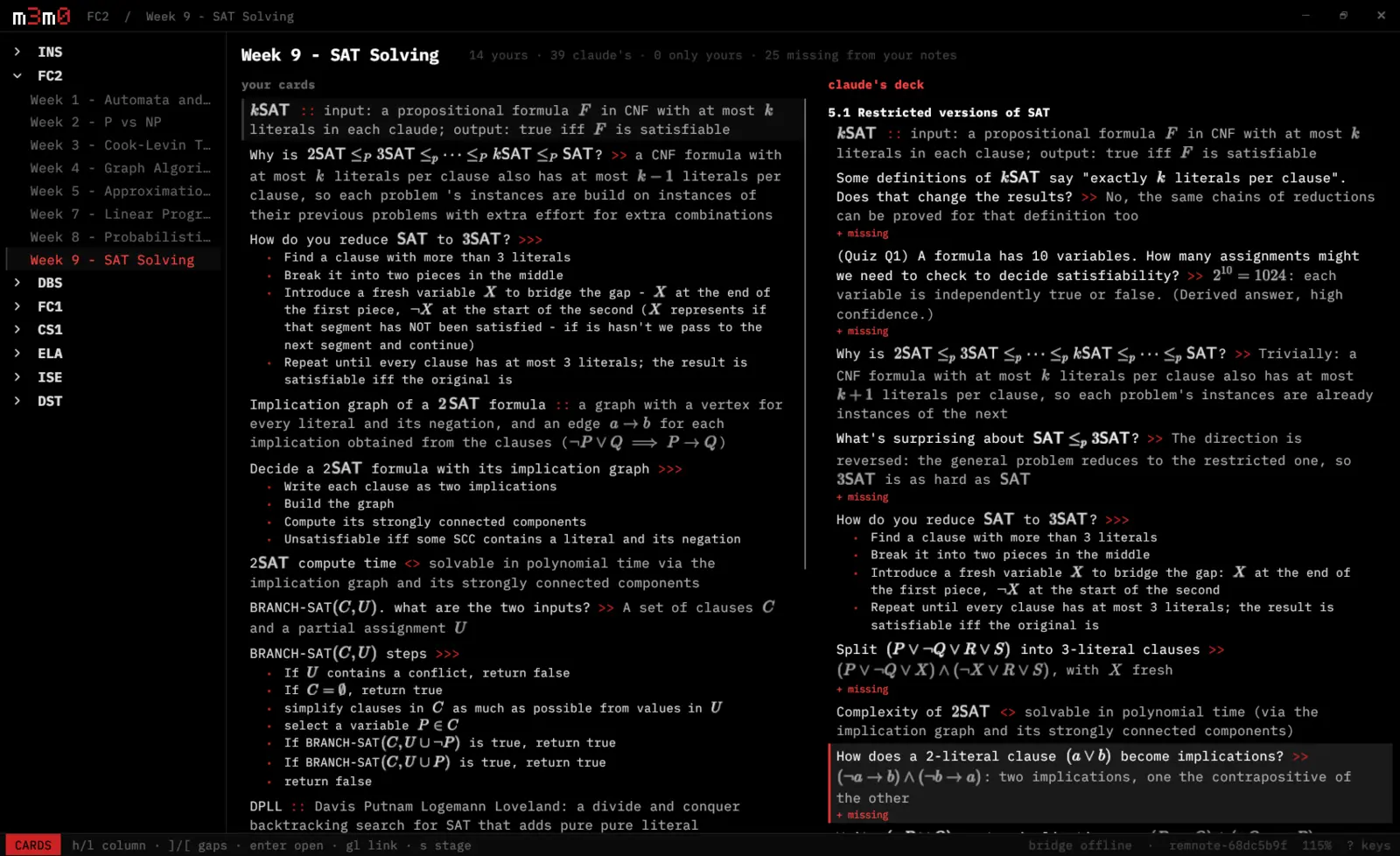
Two columns for FC2 week 9, SAT Solving: my cards on the left, Claude's deck on the right, with multi-line answers listed under each card and the ones missing from my notes marked.
My cards beside Claude's deck for the week, with what I haven't written yet marked as missing.
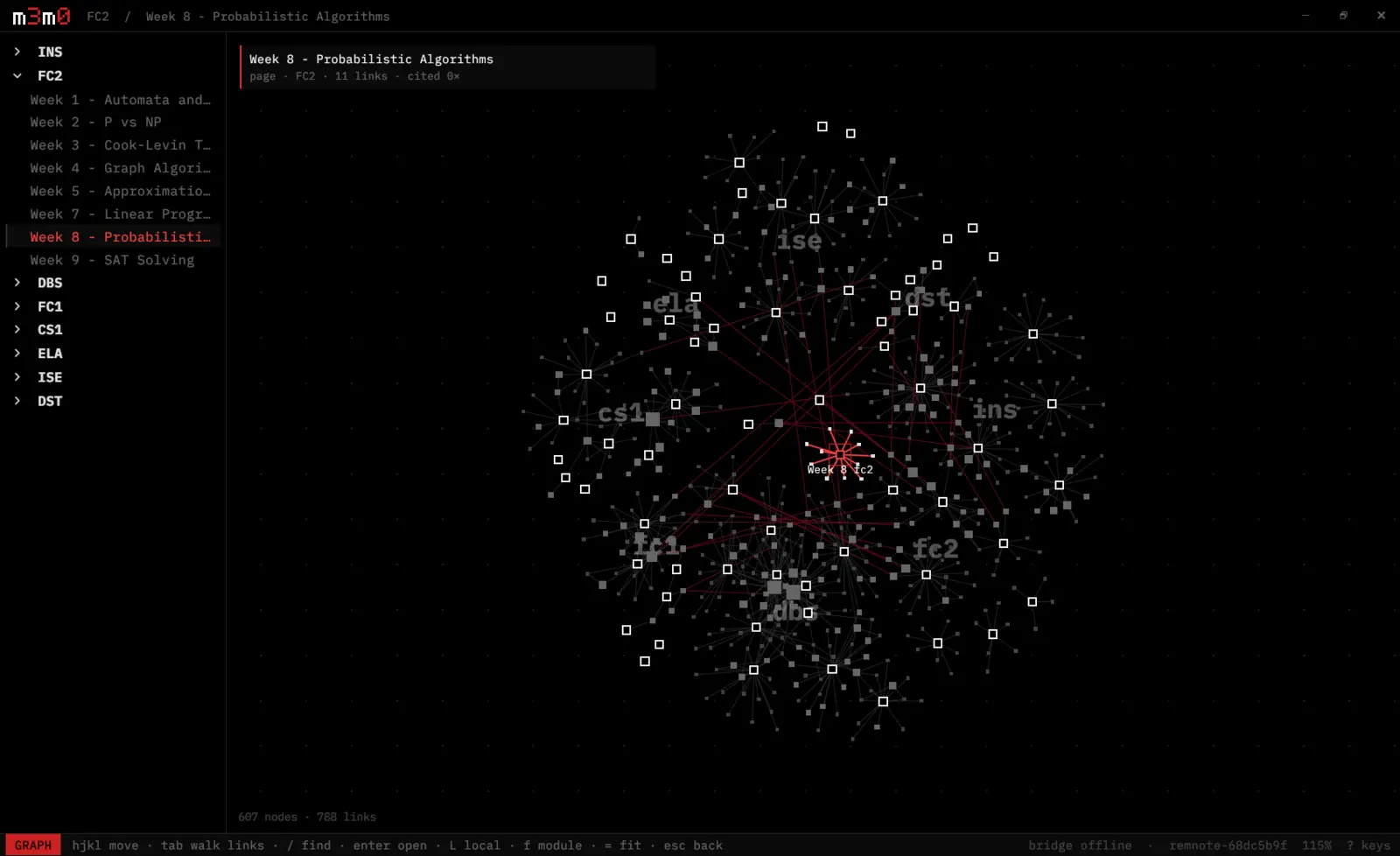
A graph of every note: one island per module, pages as squares, terms as dots, the selected week highlighted in red with its links.
The graph view: every note, grouped into an island per module.
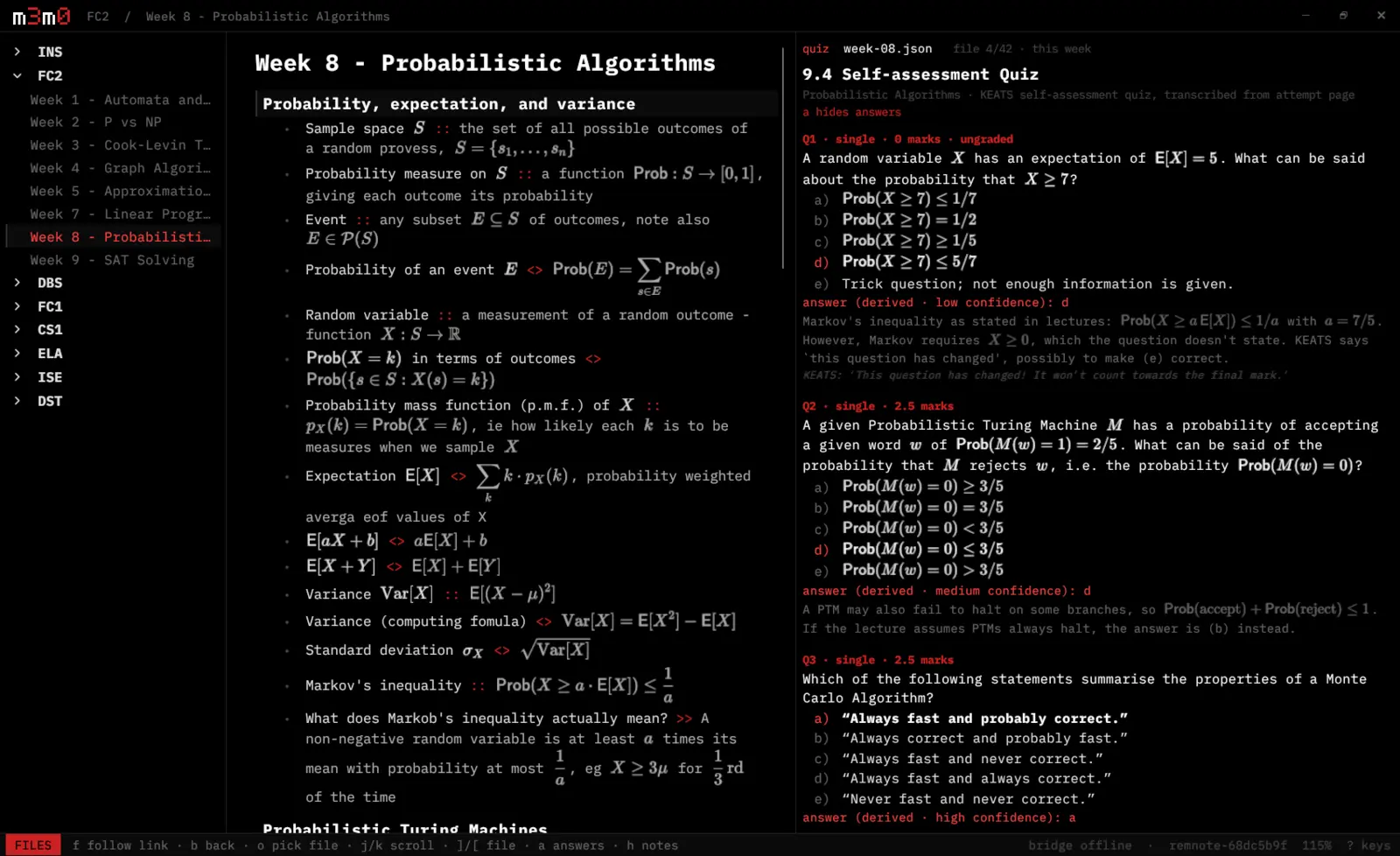
FC2 week 8 notes beside the week's self-assessment quiz, with the answers and explanations shown.
The week's files pane, here the self-assessment quiz with its answers shown.

keys

`
open or close the terminal
j k
next or previous section
0-9
jump to a numbered section (0 is the top)
gg G
top or bottom of the page
/
search everything (a grep in the terminal)
?
this list
esc
close whatever's open

(single-letter keys can clash with screen readers and your own shortcuts)

In the terminal, help lists the commands. Not all of them: try what you'd try on a real one, and eggs keeps score.