All projects

cybersoc-ig

Instagram post templates for KCL CyberSoc

status
Live on GitHub Pages
year
2026
area
Apps

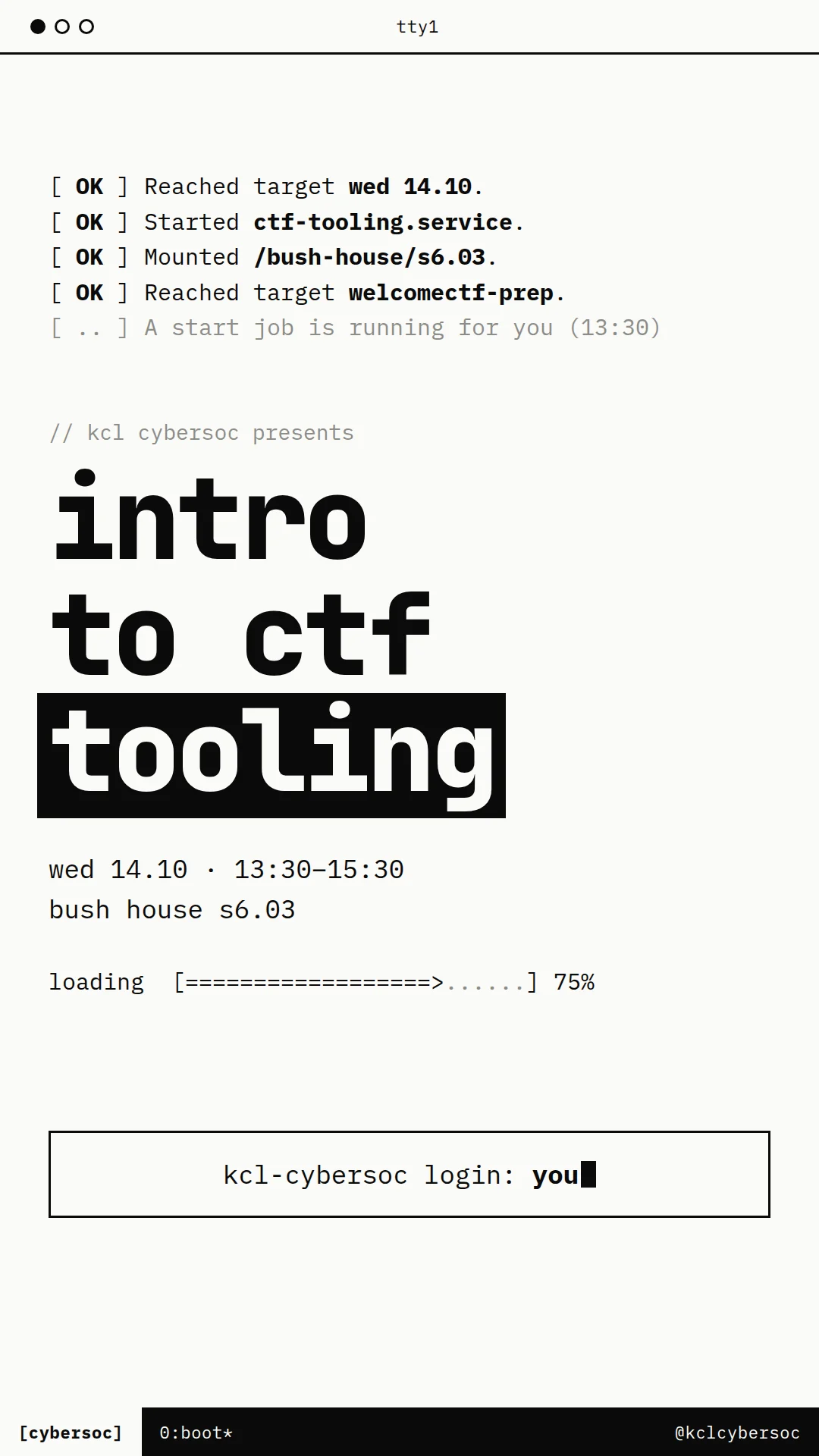
A browser editor for KCL CyberSoc’s Instagram posts and stories in a black-on-white terminal style: pick a post or story and one of six layouts (an ASCII shield, a man page, nmap, xxd, a boot log, a git diff), fill in the event, and export a PNG ready to upload.
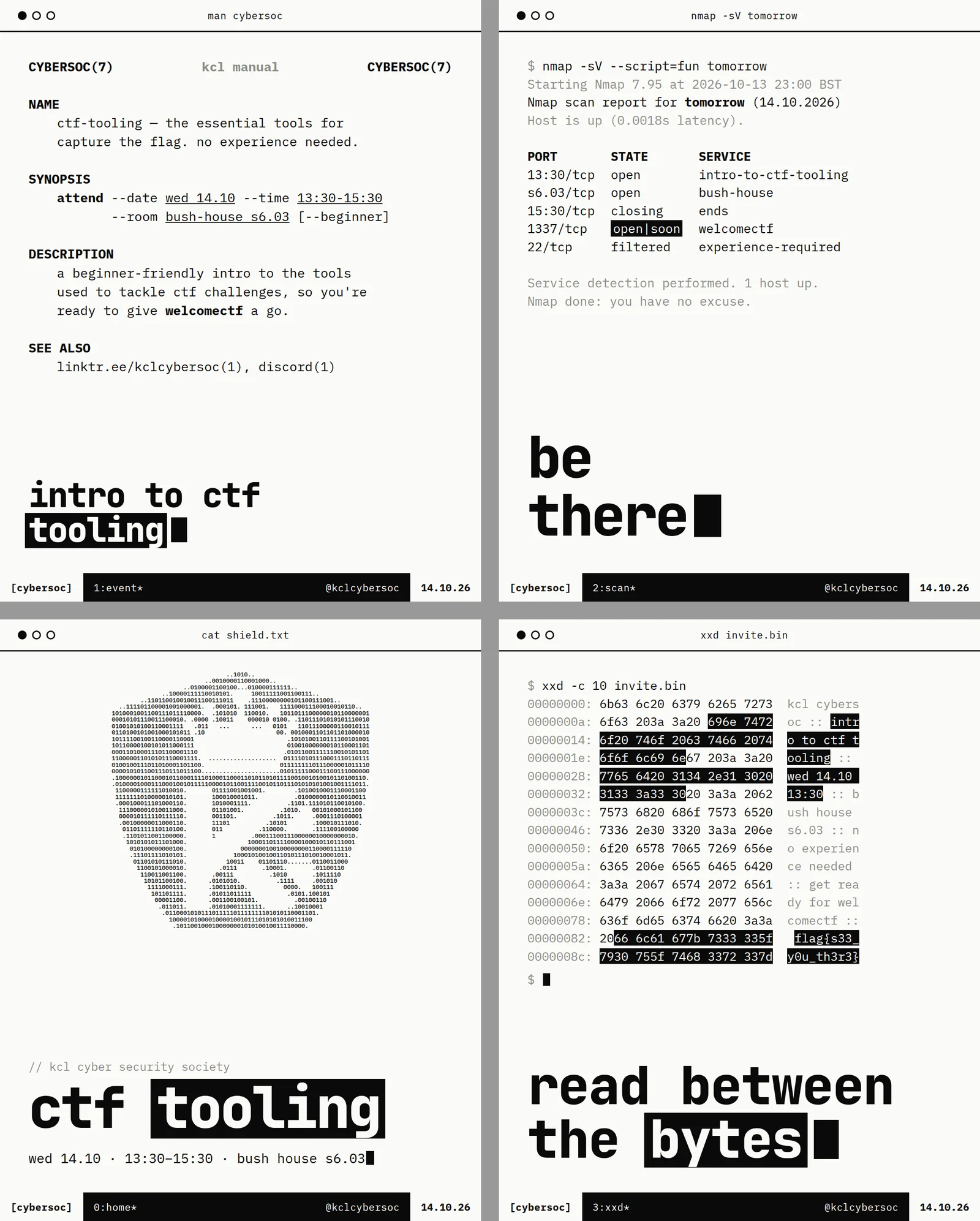
Four Instagram posts in the terminal style: a man page, an nmap scan, an ASCII-art shield and an xxd hex dump, each with a bold headline.
Four of the layouts: a man page, an nmap scan, the ASCII shield and an xxd dump.

Details

  • A small markup for headlines: [word] becomes a black inverted block and *word* goes bold. Placeholders like {date} and {room} fill each layout’s own text from the event fields.
  • The headline is set as big as fits the width, then shrinks if the body overflows, and a warning shows if text is still cut off. Stories keep clear of Instagram’s own header and reply bar.
  • “Copy share link” puts the whole setup in the URL, so a teammate can open the exact post; the last edit is also kept in the browser.
  • Fonts are bundled so exports always match, and the ASCII shield is generated from the society’s logo by a Python script. No build step.

Screenshots
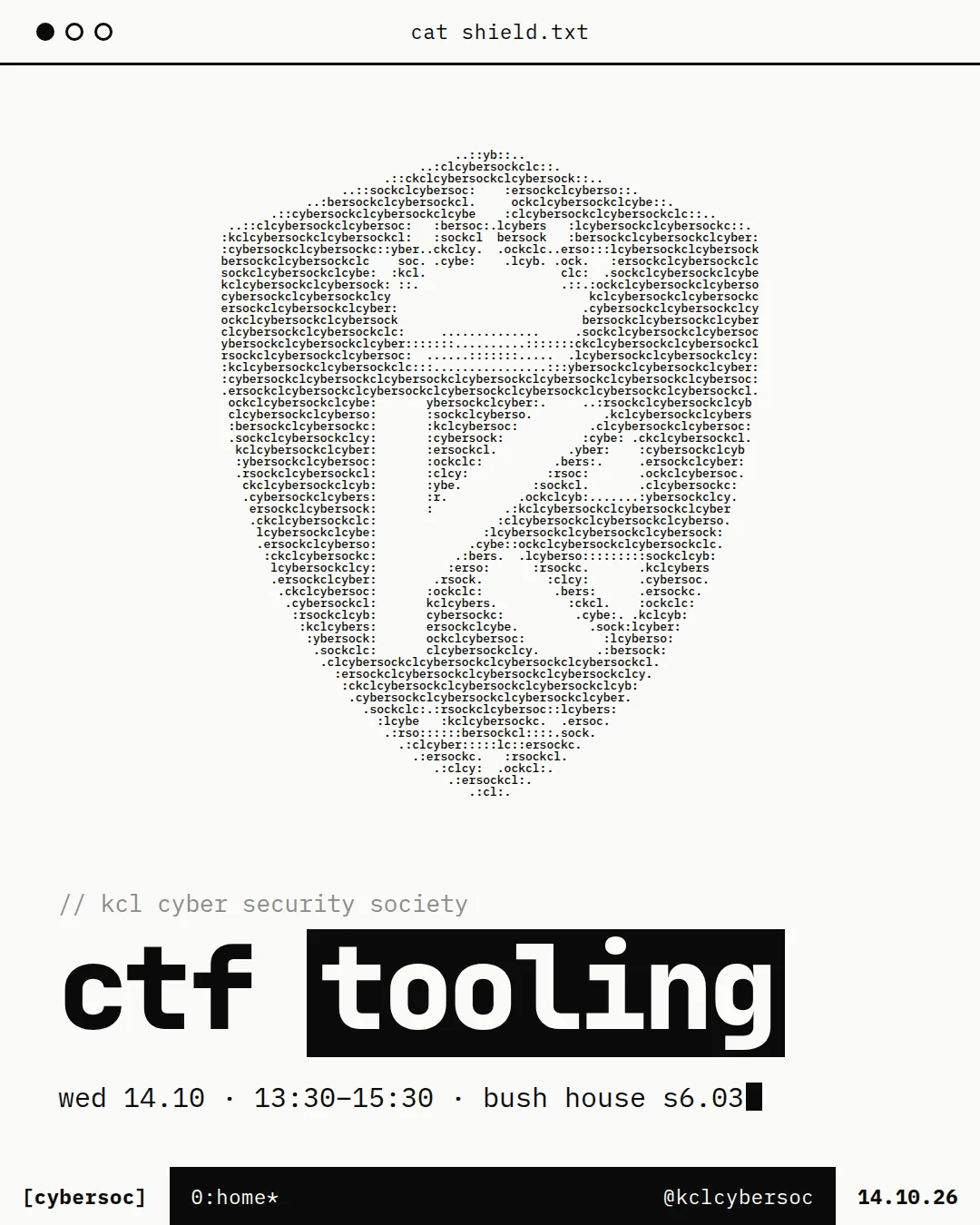
An Instagram post with the society’s shield in ASCII art over the headline “ctf tooling”, Wednesday 14 October in Bush House.
A real post made with it, for the society’s CTF tooling session.
An Instagram story styled as a boot log, ending in the headline “intro to ctf tooling” and a login prompt.
And its story, in the boot log layout.

keys

`
open or close the terminal
j k
next or previous section
0-9
jump to a numbered section (0 is the top)
gg G
top or bottom of the page
/
search everything (a grep in the terminal)
?
this list
esc
close whatever's open

(single-letter keys can clash with screen readers and your own shortcuts)

In the terminal, help lists the commands. Not all of them: try what you'd try on a real one, and eggs keeps score.