All projects

kclcybersoc

The website for KCL Cyber Security Society

status
Live at kclcybersoc.org.uk
year
2026
area
Apps

The website for KCL Cyber Security Society at kclcybersoc.org.uk: a landing page in the society’s terminal house style (black on off-white, IBM Plex Mono), an events page and a link-in-bio page for Instagram. Static HTML with no build step, on GitHub Pages with a custom domain.
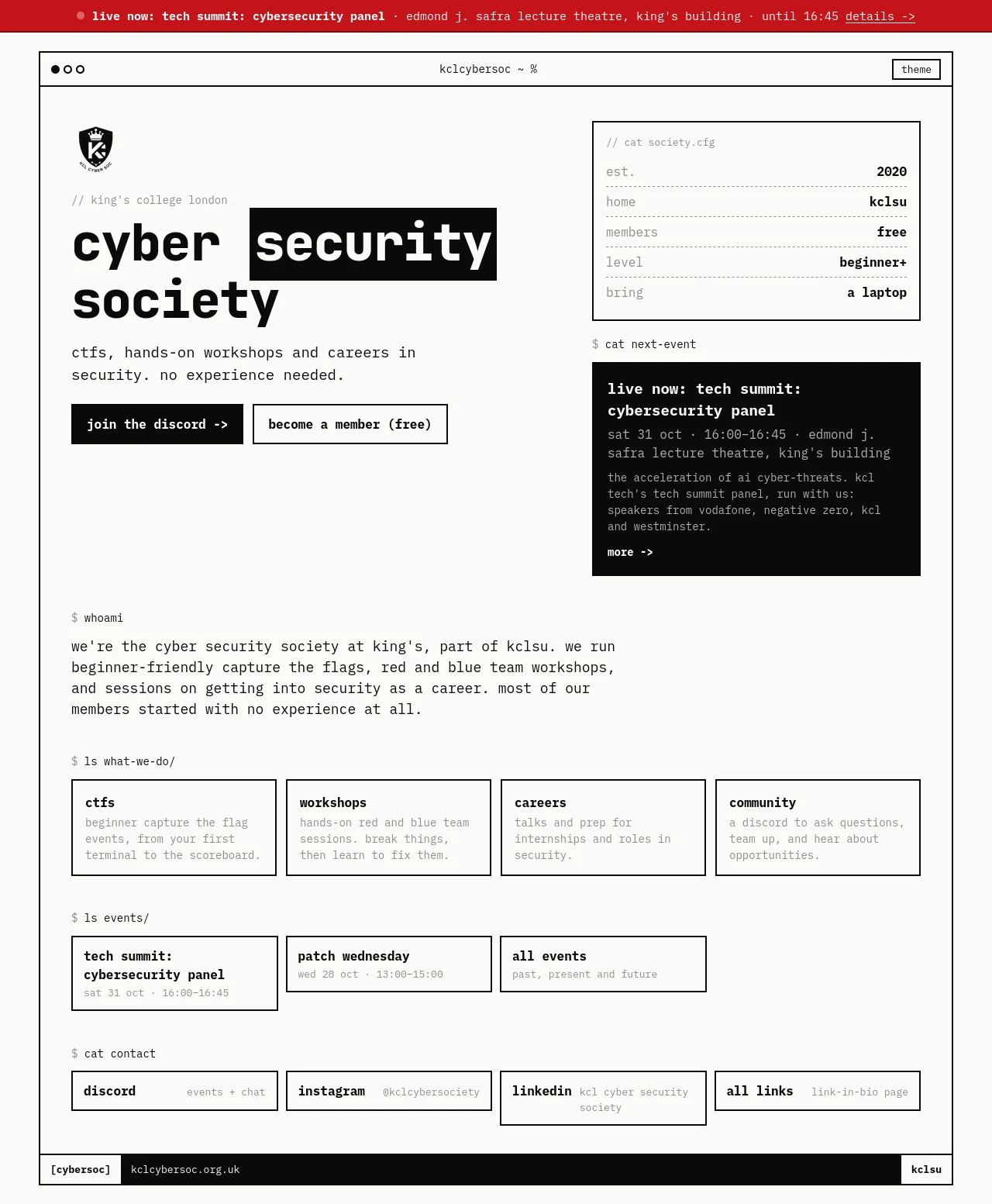
The KCL Cyber Security Society landing page in black on off-white, with a red “live now” banner across the top for the Tech Summit cybersecurity panel.
The landing page during an event: the red “live now” banner runs along the top, and the next-event box shows what’s on.

Details

  • Events live in one list: adding one updates the events page, the home page’s next-event box, the link-in-bio page and a red “live now” banner on every page. Adding ?now= to any URL previews the site at that moment.
  • The link-in-bio page is built from the cybersoc-ig template, so it matches the society’s posts and stories.
  • A page for Patch Wednesday, the society’s blue-team workshop: five deliberate bugs in a members portal, each with the real CVE behind it, plus the slides and a cheat sheet.
  • Light and dark themes that follow the system, with a toggle remembered per browser. A sitemap, canonical URLs, Open Graph tags and schema.org JSON-LD for search.

Screenshots
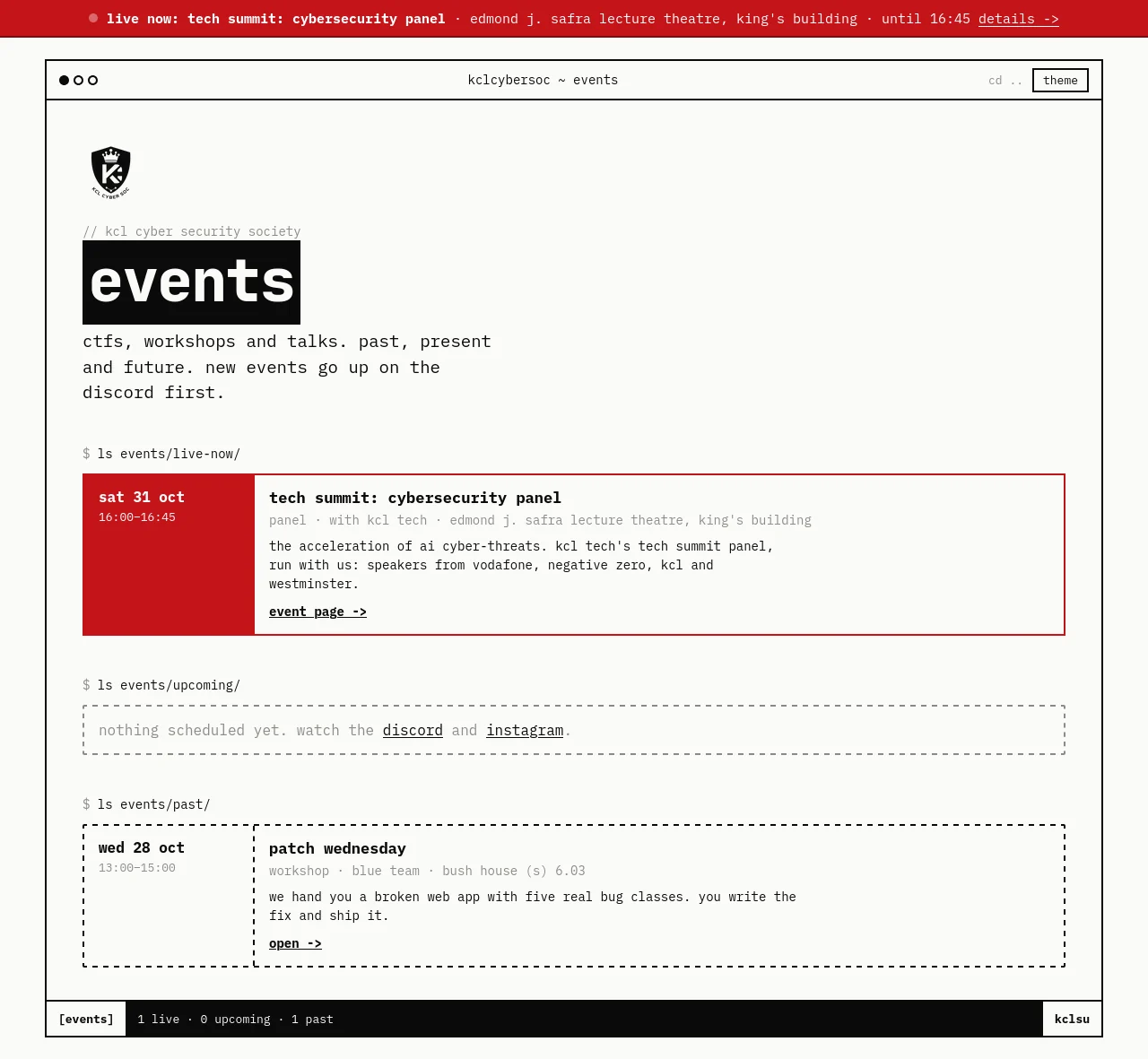
The events page, listing the live Tech Summit panel in red and Patch Wednesday under past events.
The events page: what’s live, what’s coming up, and everything past, from the one list.
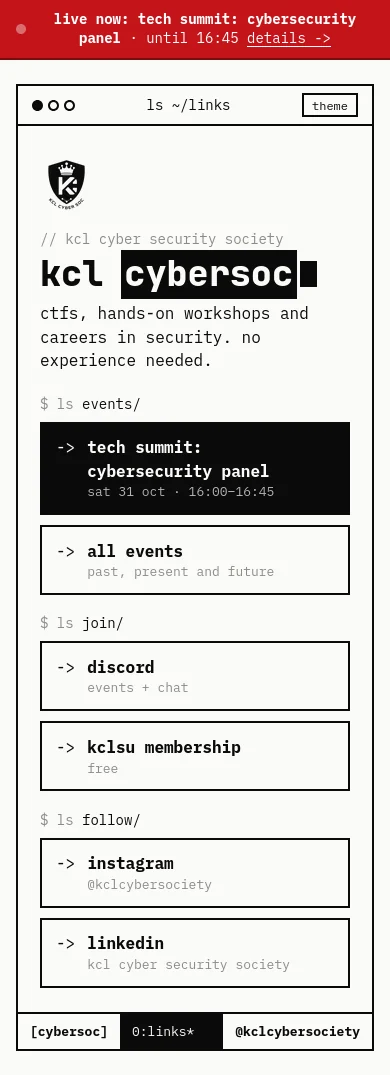
The link-in-bio page on a phone: the society’s name, then buttons for events, Discord, KCLSU membership, Instagram and LinkedIn.
The link-in-bio page on a phone.
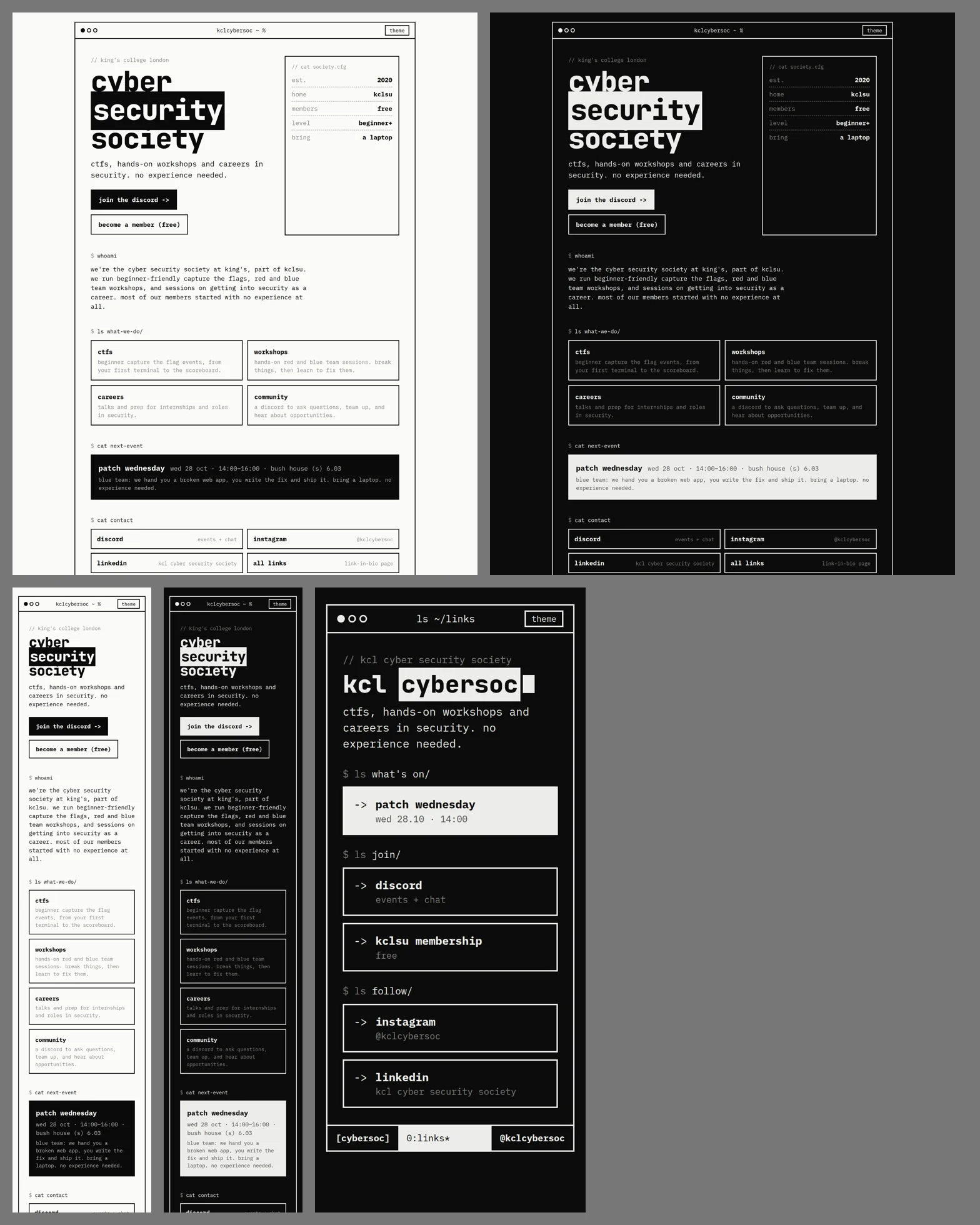
The landing page and the link-in-bio page shown side by side in the light theme and the dark theme, on desktop and on a phone.
Light and dark, on desktop and on a phone.

keys

`
open or close the terminal
j k
next or previous section
0-9
jump to a numbered section (0 is the top)
gg G
top or bottom of the page
/
search everything (a grep in the terminal)
?
this list
esc
close whatever's open

(single-letter keys can clash with screen readers and your own shortcuts)

In the terminal, help lists the commands. Not all of them: try what you'd try on a real one, and eggs keeps score.