mosaic
Tile live app windows onto one stage and screenshare just that
A small take on OBS scenes for GNOME on Wayland, made for online tutoring. Pick windows through GNOME’s screencast portal, drag them onto a 1920×1080 stage, save layouts and flip between them, then share one clean output window in Meet instead of juggling shares.
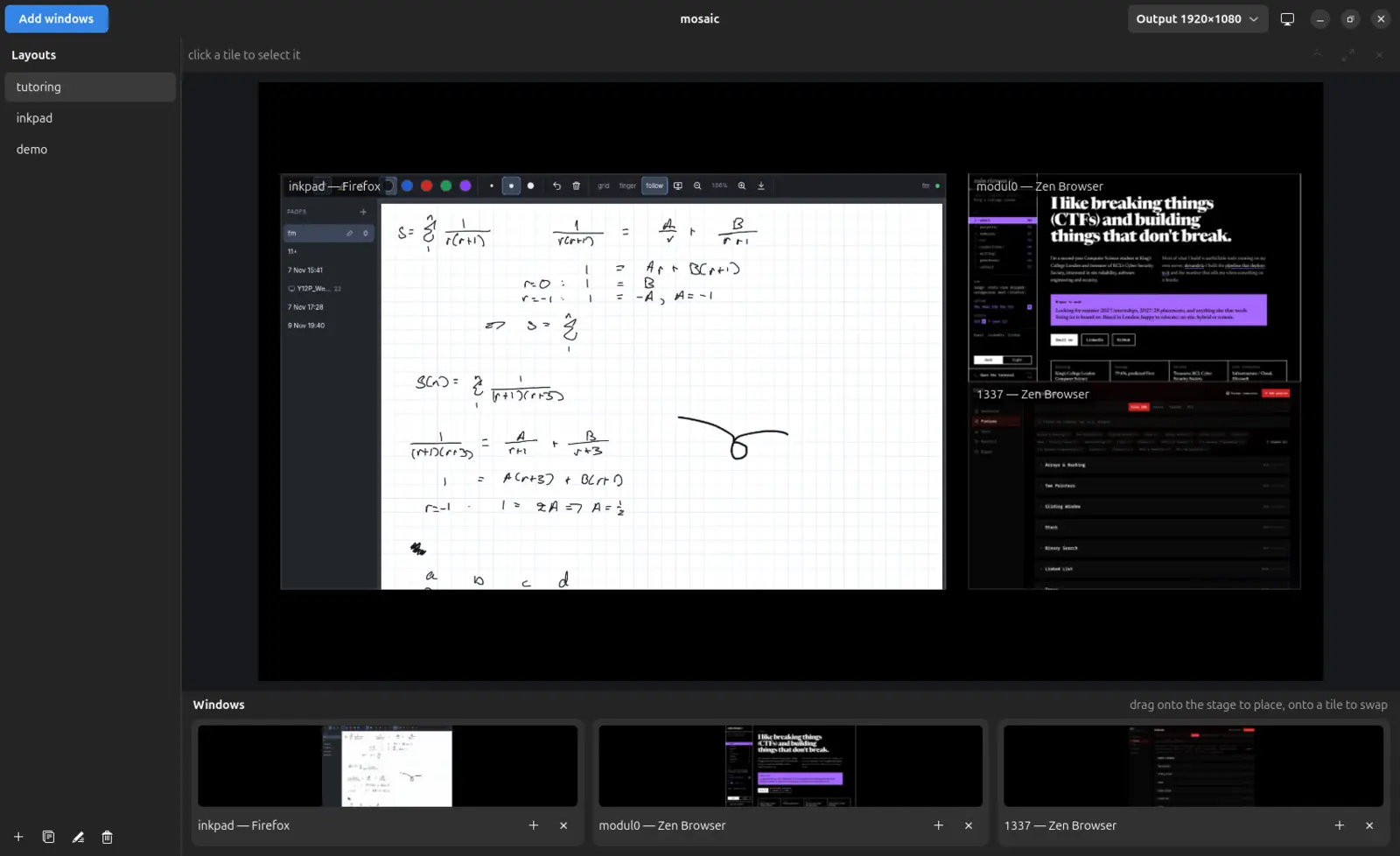
Details
- Wayland only lets an app capture other windows through the desktop portal’s picker. mosaic keeps the portal’s restore token, so your windows come back on the next launch without the picker, and opens a separate PipeWire connection per window: sharing one connection between streams corrupts the protocol and hangs.
- Frames stay on the GPU: PipeWire hands over DMA-BUFs and GTK draws them directly, with a plain-memory fallback. Windows that aren’t on the current layout pause, and the rest are capped at 30fps.
- The portal never says which window you picked (on GNOME 46 even the size it reports is the monitor’s), so a small GNOME Shell extension lists open windows with tiny thumbnails over D-Bus, and mosaic names each new capture by matching its first frame against them.